DailyQuest Now Has Dark Mode
Late-night quest check-ins are easier on the eyes. DailyQuest now follows your phone's light or dark setting on iPhone and Android, and you can pick one look in Settings.
DailyQuest Now Has Dark Mode
You open DailyQuest at 11pm to tick off "Read 10 pages", and a bright green screen lights up the whole bedroom. Not anymore. DailyQuest now has dark mode, on iPhone and Android.
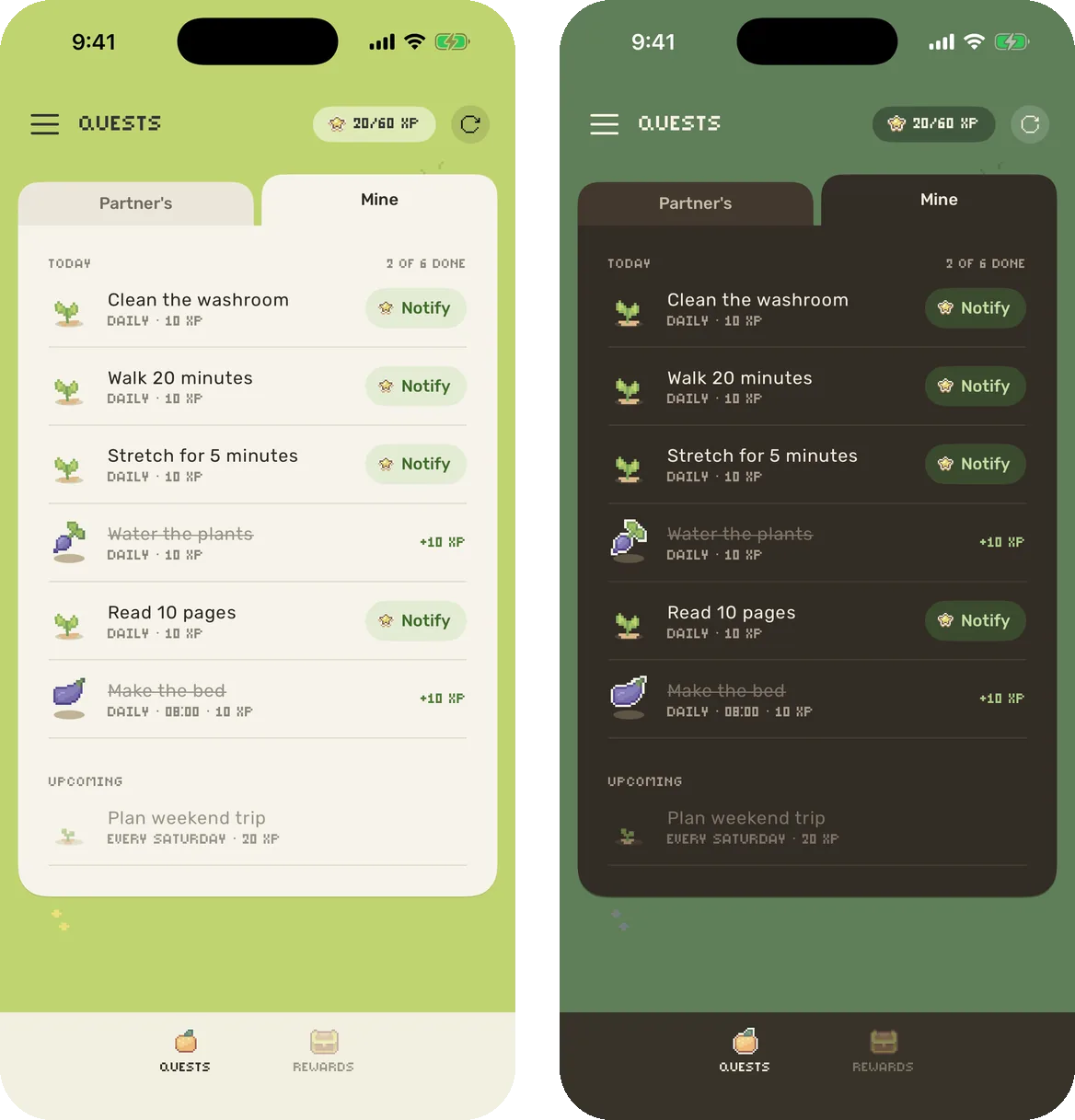
It follows your phone
You don't have to turn anything on. If your phone is set to dark mode, DailyQuest is dark too. If your phone switches between light and dark on a schedule, DailyQuest switches with it, even while the app is open.
Or pick one look in Settings
Some people like dark mode all the time. Some like DailyQuest light even at night. Open the menu, tap Settings, and choose under Appearance:
- System follows your phone. This is the default.
- Light keeps DailyQuest light all the time.
- Dark keeps DailyQuest dark all the time.

Your choice is saved on your phone, so you and your partner can each pick your own.
Help & feedback has moved into Settings too, just below Appearance. Suggesting a feature and reporting a bug work the same as before.
A cosy look for night time
We didn't just turn the screens black. Dark mode is its own version of DailyQuest's pixel world, made to feel like the same farm after sunset.
- The world gets a night tint. The grass behind your quests turns a deep moss green, and the water behind the Reward Store turns a calm night blue.
- Your lists sit on warm, dark cards. The cream quest card becomes a soft dark brown, so a long list is still easy to read.
- Crops, chests and the sloth stay just as bright. Your pixel art looks the same, it just sits on darker ground.
- Every screen joins in. The menu, Profile, Manage connection, new quest and new reward screens, reward requests and partner invites are all dark too, not just the main lists.
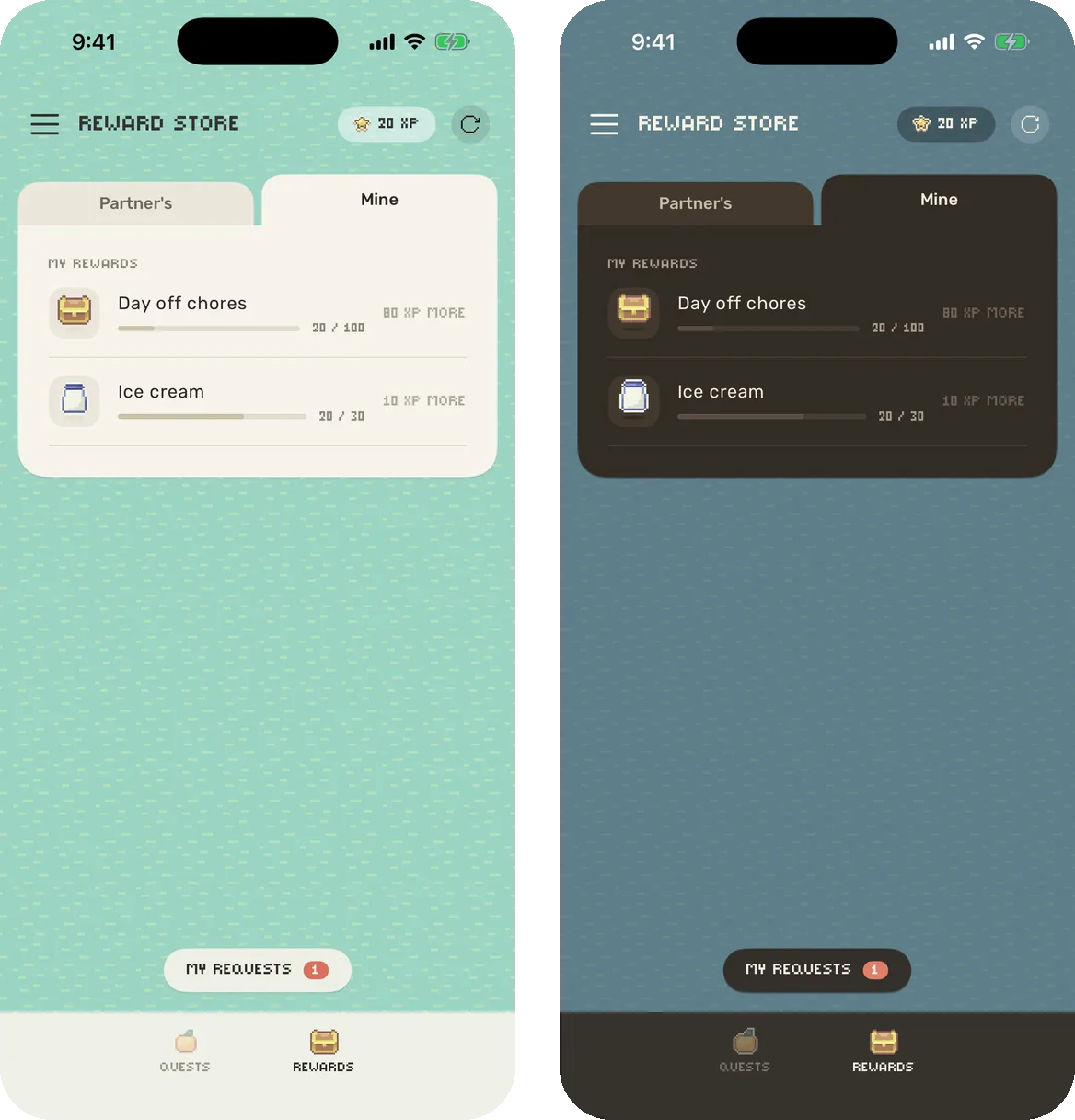
Light mode hasn't changed. If you keep DailyQuest light, it looks exactly like it did before.
Get the update
Dark mode is in DailyQuest 2.11 on iPhone and 1.1 on Android. Update the app, and it will match your phone straight away.
Get DailyQuest on iPhone or Android

Download the app
DailyQuest
A gamified daily task management app for couples
Read next
DailyQuest Is Now on Android, With a Brand New Look
The couple to-do app is on Google Play, and iPhone and Android partners can play together. Plus a fresh look on both phones: crops that grow, a cosy cream card, and pastel confetti.
How to Stop the Chore Argument and Actually Get Things Done Together
DailyQuest turns shared household to-dos into quests your partner actually wants to complete — here's how to set it up so it sticks.
What's New in DailyQuest 2.9
Reward requests, a real celebration when you redeem, and more reliable quest reminders — the main changes in DailyQuest 2.9.
Introducing DQ Premium: One-Time Purchase, Unlimited Everything
DQ Premium unlocks unlimited quests and rewards with a single purchase — no subscription, no ads, and more features on the way.
What Should the Reward Be? Now Your Partner Can Just Tell You
Guessing what motivates your partner rarely works. DailyQuest's new reward requests let them ask for what they actually want — and you still decide what it costs.