Meet the Weekly Harvest in DailyQuest
Every quest you check off now grows a crop that drops into your basket. On Sunday you tip the basket out and see your whole week pile up, alone or next to your partner's.
Meet the Weekly Harvest in DailyQuest
Checking off a quest used to be a tick and some XP. Now it's a harvest. Every quest you finish grows a crop, every crop goes into a basket that fills up all week, and on Sunday you tip the basket out and see the whole week at once.
Every quest is a crop
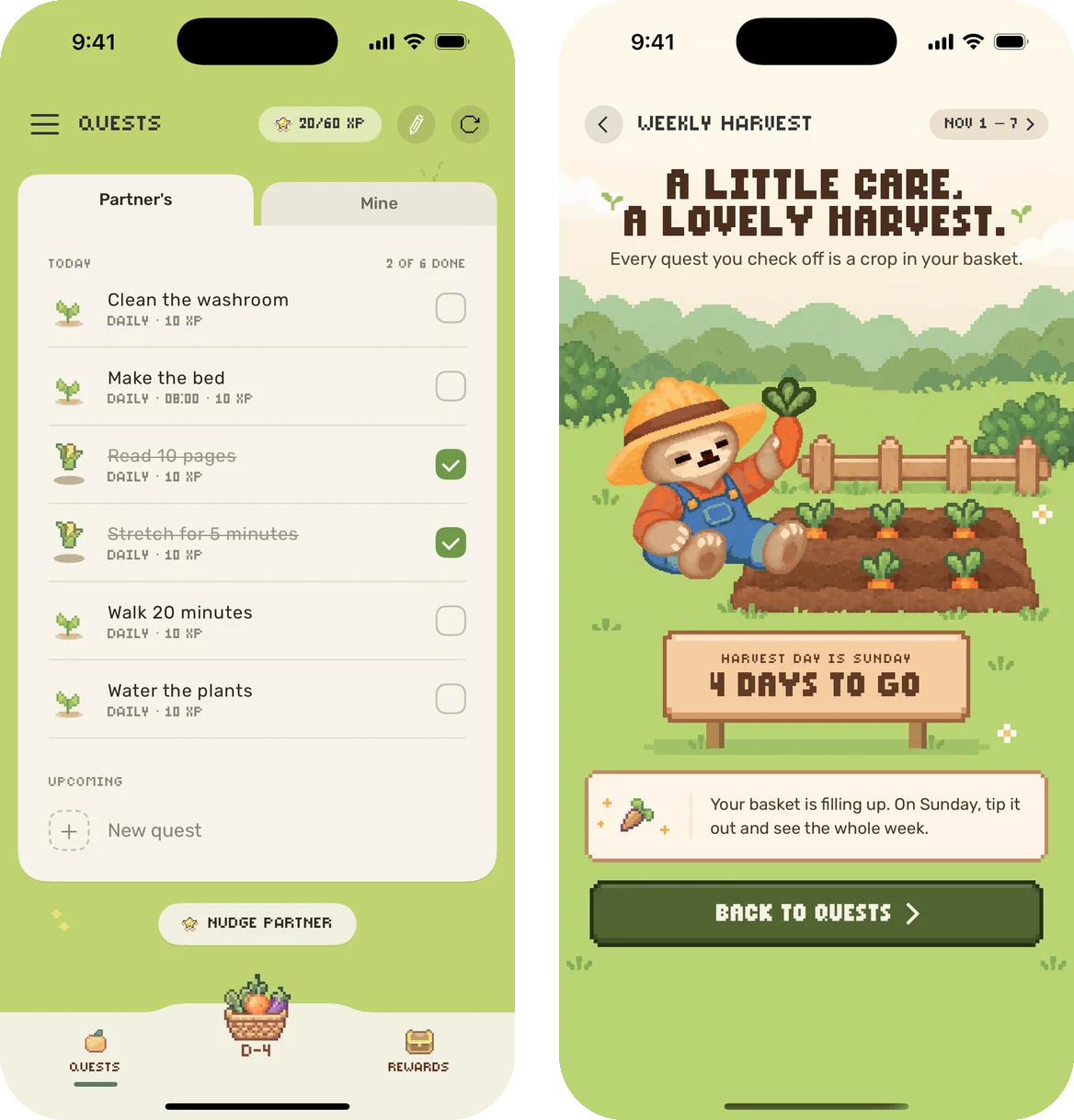
When you check off a quest, its sprout comes out of the ground as a crop (a carrot, a pumpkin, an eggplant...) and drops into the basket at the bottom of the screen. "+10 XP" pops up right under the checkbox. It's quick, so you can tick off five quests in a row and watch five crops fly into the basket.
The basket counts down to Sunday
The basket sits in the middle of the tab bar, with the days left until harvest day under it: D-6, D-5, all the way to D-1. Tap it any day to peek at the field. Your crops are still growing, and a little sign tells you how many days are left.
On Sunday, the basket starts hopping and says OPEN IT!
Sunday: tip it out
Open the basket on Sunday and it tips out by itself. Every crop from last week tumbles onto the field and piles up.
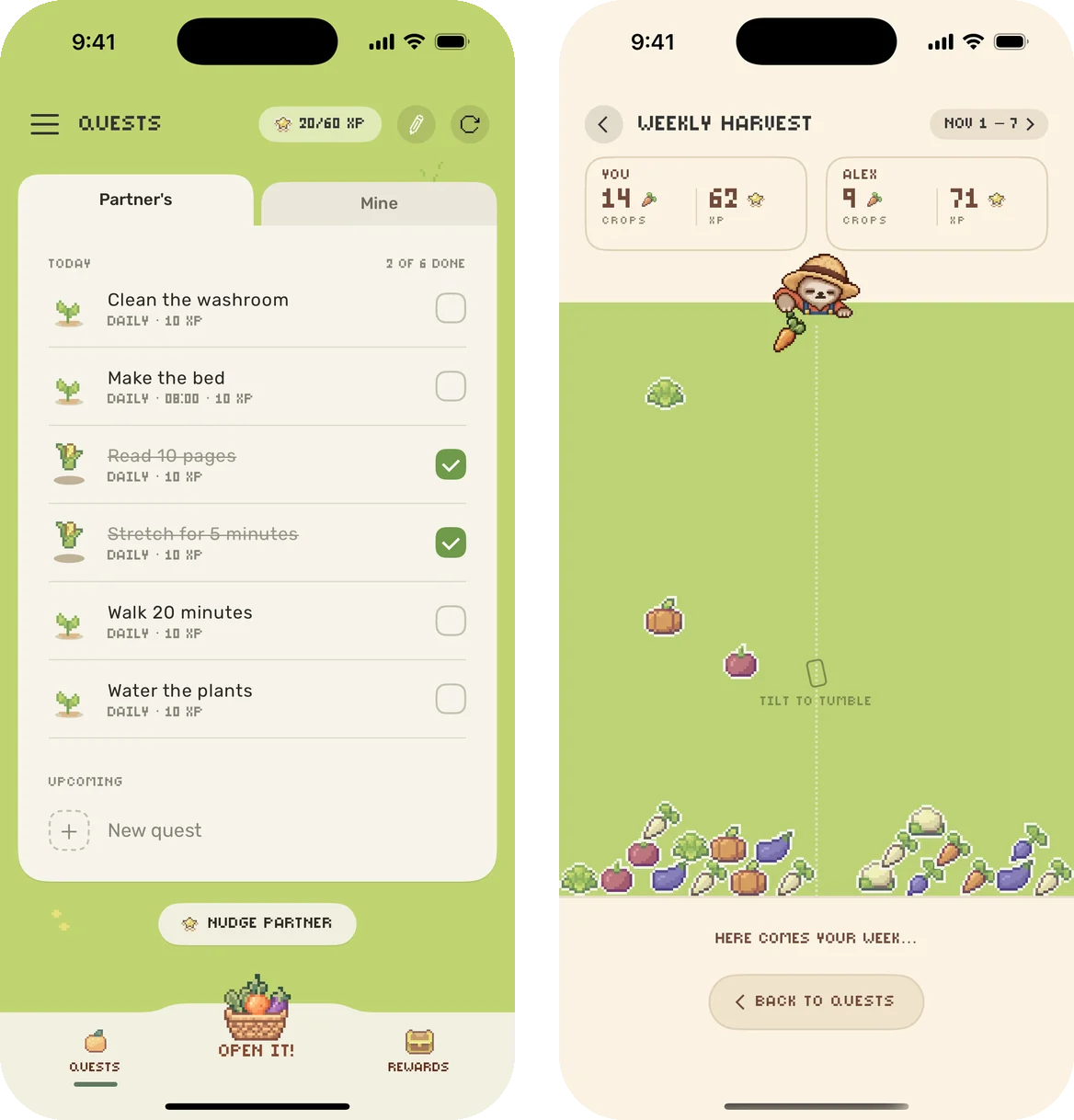
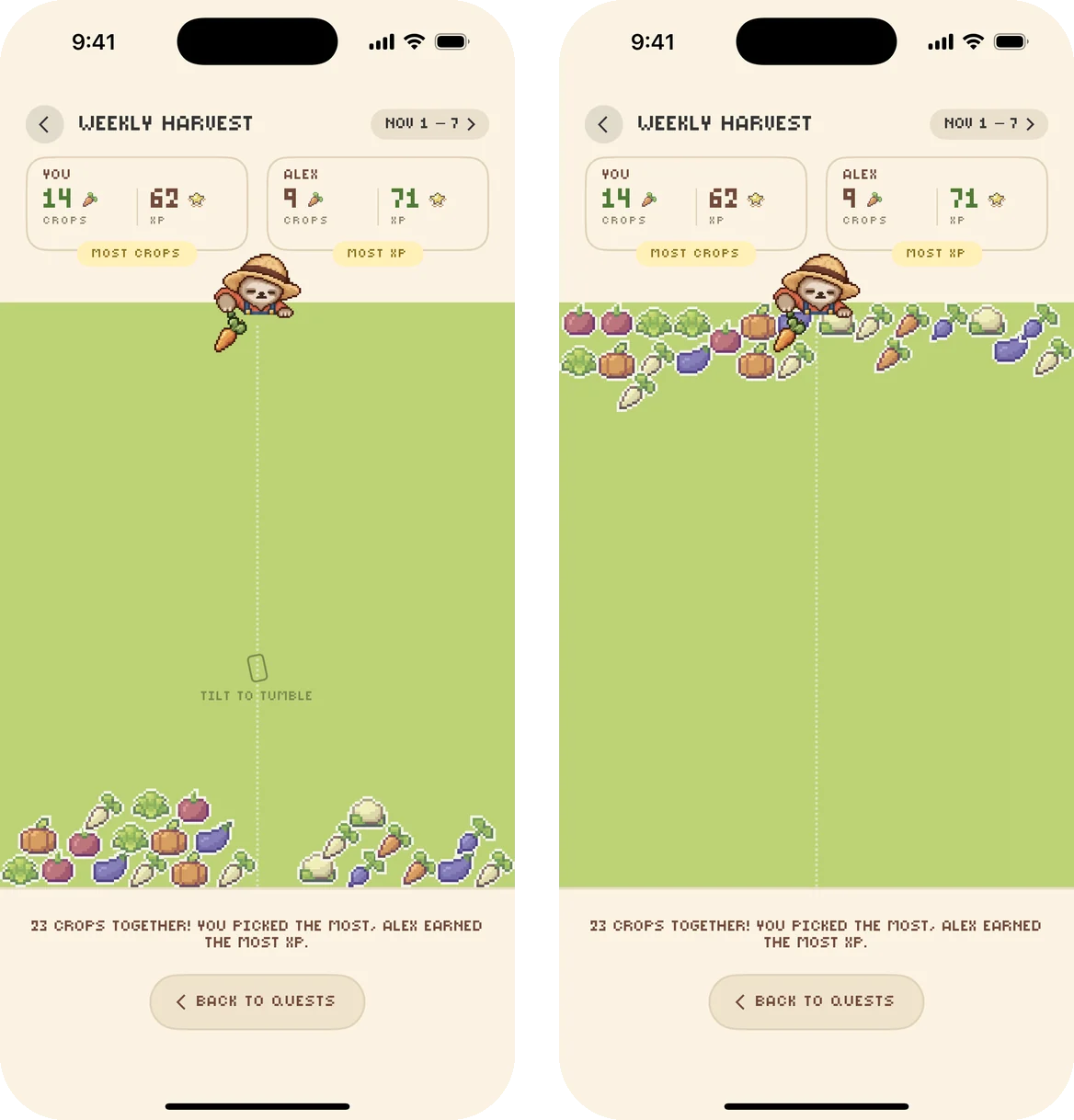
- Playing with a partner? Your pile lands on the left and theirs on the right, with each of your crops and XP on top. Whoever picked the most crops gets a MOST CROPS tag, and whoever earned the most XP gets MOST XP. The line under the field always starts with what you grew together, so nobody loses the week.
- Playing solo? Your week is measured against your own: more than last week, the same as last week (steady hands!), or your biggest pile yet.
- A quiet week? That's okay. New seeds go in today.
Tilt your phone
Once the crops land, tilt your phone and the piles slide. Lean it left or right, or turn it all the way upside down, and the crops tumble to the other side of the field. Lay the phone flat and the pile stays put.
You can feel it too: a little heartbeat when Sunday's field opens, a thud when the basket tips out, a tap for every crop that lands, and a soft, sandy rumble while the piles slide. If you'd rather not, turn off Vibrations in Settings.
Look back at past weeks
Tap the dates at the top of the harvest screen to see your past harvests from the last 3 months, newest first. Tap any week to see that pile again. Playing solo, your best week gets a BEST WEEK badge.
A reminder on harvest day
On Sunday at 10 AM, DailyQuest sends a gentle reminder that your basket is ready, if you haven't opened it yet. Don't want it? Open the menu, tap Settings, and turn off Harvest day.

Get the update
The Weekly Harvest is in DailyQuest 2.12 on iPhone and 1.2 on Android. Update the app, check off a quest, and watch your first crop land in the basket.
Get DailyQuest on iPhone or Android

Download the app
DailyQuest
A gamified daily task management app for couples
Read next
DailyQuest Now Has Dark Mode
Late-night quest check-ins are easier on the eyes. DailyQuest now follows your phone's light or dark setting on iPhone and Android, and you can pick one look in Settings.
How to Stop the Chore Argument and Actually Get Things Done Together
DailyQuest turns shared household to-dos into quests your partner actually wants to complete — here's how to set it up so it sticks.
DailyQuest Is Now on Android, With a Brand New Look
The couple to-do app is on Google Play, and iPhone and Android partners can play together. Plus a fresh look on both phones: crops that grow, a cosy cream card, and pastel confetti.
Introducing DQ Premium: One-Time Purchase, Unlimited Everything
DQ Premium unlocks unlimited quests and rewards with a single purchase — no subscription, no ads, and more features on the way.
What's New in DailyQuest 2.9
Reward requests, a real celebration when you redeem, and more reliable quest reminders — the main changes in DailyQuest 2.9.